There is a point in many businesses where the official software is not really the system anymore.
The real system is five spreadsheets, three inboxes, one accounting export, a shared folder with suspiciously named files, and a staff member who can somehow explain which version is “the real one” if you ask very nicely and do not make sudden movements.
I have seen this enough times that I now treat it as a recognizable business pattern. A company starts with a practical manual process. Someone creates a spreadsheet to solve an immediate problem. Then another department creates a second spreadsheet to solve a related problem. Then a third person creates a copy of the second spreadsheet because they do not want to break anything. Then accounting has their own version, operations has their own version, sales has their own version, and somewhere in the back office there is the “real” version, which everyone knows is real because it has a filename like MASTER_FINAL_USE_THIS_ONE_v7.
At that point, the business has accidentally invented a distributed database.
Unfortunately, it has done so without transactions, permissions, audit trails, referential integrity, synchronization rules, backup discipline, or really any of the things that make a distributed database something other than a group project with consequences.
This is not because the people are foolish. Usually, it is the opposite. The spreadsheets exist because people were being practical. They were solving problems with the tools they had. The trouble starts when yesterday’s practical workaround becomes today’s business-critical infrastructure.
The spreadsheet was innocent at first
Most spreadsheet systems start in a perfectly reasonable way. Someone needs a report, so they make a spreadsheet. Someone needs to track requests, so they add a few columns. Someone needs to know whether something is approved, so they create a status field. Someone else wants to avoid breaking the file, so they make a copy. Another person adds conditional formatting, because apparently no spreadsheet can truly mature until it has at least one colour-coded warning system.
For a while, this works. It may even work very well. A spreadsheet is flexible, familiar, cheap, fast, and easy to change. Google Sheets adds collaboration, online access, comments, sharing, simple automation, and the feeling that maybe this is not a spreadsheet at all, but a small business platform wearing spreadsheet clothing.
That feeling is where the danger begins.
Because one day the business realizes that customer data is in the sheet. Workflow state is in the sheet. Approvals are in the sheet. Reporting is in the sheet. Operational history is in the sheet. Maybe formulas are doing real business logic. Maybe Apps Script is moving data around in the background. Maybe only one person knows which tabs are current, which tabs are historical, and which tabs are “old but do not delete because something still reads from there.”
At that point, Google Sheets or Excel is no longer just a tool. It has become a database, a workflow engine, a reporting layer, and a business-critical application pretending to be a spreadsheet.
Which is fine until it is not.
A spreadsheet can act like a database for a while, in the same way a kitchen chair can act like a ladder. Useful in a pinch. Not really the thing you want to bet the company on.
Five spreadsheets do not make one system
The single-spreadsheet version is risky enough, but the distributed version is where things become more interesting, by which I mean more likely to ruin someone’s afternoon.
Sales has a spreadsheet. Operations has a spreadsheet. Accounting has a spreadsheet. A manager has a dashboard spreadsheet. Someone else has a Google Sheet that imports from another sheet, except the import breaks occasionally, and everyone has agreed not to touch that one unless the person who built it is in the office. There may even be an export from the website or CRM that gets manually pasted into the operational sheet every morning, because apparently the business has decided to implement an API using a human being with coffee.
This is where the business begins to experience multiple sources of truth. That phrase sounds polite and technical. In practice, it means nobody knows what is true until the right person manually reconciles the disagreement.
The customer status is one thing in sales, another thing in operations, and something spiritually adjacent in accounting. The quote total in one sheet does not match the invoice total in another. A job looks complete in one place, pending in another, and invisible in a third. Everyone is doing their best. Everyone is busy. The system, however, is quietly lying to everyone in slightly different ways.
This is the manual distributed data problem. Not in the elegant computer science sense. More in the “why are there six versions of this customer record and why does each one contain a different part of reality?” sense.
That is when business analysis and enterprise integration start to matter. Before you automate anything, replace anything, or buy yet another platform with a cheerful onboarding video, you have to understand what is actually happening. Not what the written process says is happening. Not what the software vendor claims is happening. Not what everyone wishes were happening. What is actually happening.
The real system is usually hiding in the handoffs.
The cost is distributed too
Part of the reason this problem survives is that the cost is hard to see. If you buy custom software development, you see the quote. If you pay for enterprise integration, you see the invoice. If you invest in website development, managed IT support, SEO, or social media management, there is a visible cost attached.
Manual work feels cheaper because nobody receives an invoice called “the cost of everyone copying data around like it is 1998.” The cost is distributed across payroll, delay, rework, staff frustration, customer confusion, and management uncertainty.
Five minutes here. Ten minutes there. A mistake that takes an hour to fix. A customer waiting longer than they should. A quote delayed because someone had to find the right version of something. A manager spending Friday afternoon reconciling data from three systems while pretending this is a normal use of human life.
None of those feel like a software budget. They are still costs. They are just fragmented, and because they are fragmented, they rarely get forced into a single conversation.
It is not that the current process is cheap. It is that nobody has forced the process to confess.
“Only Brenda knows how it works” is not documentation
Every business has a Brenda. Sometimes her name is not Brenda. Sometimes it is Dave, Sarah, the owner, the office manager, or the person who has been there since before the current software was installed and therefore remembers the ancient ways.
This person knows the exceptions. They know which customer always needs the extra email. They know which spreadsheet tab is the real one. They know which field in the old system is named badly but actually means something important. They know when to ignore the report because the report is technically correct but practically misleading, which is one of my favourite genres of useless correctness.
That knowledge is valuable. It is also risky.
If the process only works because one person carries the real system in their head, then the business does not really have a process. It has a person. That may work for a while, and it may even feel efficient because the right person can move very quickly. Eventually, though, that person gets sick, leaves, gets promoted, gets overwhelmed, or simply becomes the bottleneck for everything.
Then the business discovers that the process was never as documented as everyone thought.
This is one reason a proper business process review should look at the exceptions, not just the happy path. The official process is often simple. The real process is usually the official process plus all the things people do so the official process does not collapse when it encounters reality.
Spreadsheets create invisible queues
A lot of business pain is not caused by one dramatic failure. It is caused by queues.
A request waits in an inbox. A file waits for review. A quote waits for missing information. A form waits to be entered into another system. A report waits for someone to export data. A customer waits because the next step depends on a person remembering to update the correct spreadsheet.
Each wait may be small, but the waits stack. This is where the math gets irritating. If one manual handoff adds half a day, and a process has five handoffs, the customer does not experience “five small delays.” The customer experiences a process that takes several days longer than it should.
Inside the business, everyone is busy. From the customer’s side, nothing is moving.
That gap matters. It affects trust. It affects cash flow. It affects customer satisfaction. It affects whether the sales team feels confident promising timelines. It affects whether staff feel like they are doing useful work or just pushing information around so the ritual can continue.
Sometimes the best software development project is not a massive new platform. Sometimes it is simply removing the queue. Sometimes the right answer is enterprise integration so the website, CRM, accounting system, operations workflow, spreadsheet, and reporting process stop acting like strangers at a family reunion.
Google Sheets is useful, but it is still not your business model
Google Sheets deserves a special mention because it is genuinely useful. It is collaborative, accessible, flexible, and familiar. It lets a business move quickly before the business fully understands what it needs. That is a good thing.
The problem is not that Google Sheets is bad. The problem is that Google Sheets can become load-bearing without anyone admitting that it has become load-bearing.
If your entire business process lives in Google Sheets, what happens if Google changes something, locks an account, flags access, breaks an automation, changes limits, or simply makes a platform decision that does not care about your specific business workflow? I am not saying Google is sitting around plotting against your spreadsheet. That would be giving the spreadsheet far too much dignity. But if Google messes with the thing your business quietly depends on, you may discover very quickly that your “free and flexible” system came with a hidden dependency.
There are also practical database limitations. Data validation gets messy. Permissions get awkward. People can accidentally overwrite things. Formulas become fragile. Reporting gets harder. Historical data becomes risky to modify. Different tabs become different versions of reality. Different spreadsheets become different universes of reality. Performance starts to suffer. The business starts needing rules, relationships, audit trails, user roles, integrations, backups, and proper reporting.
In other words, it starts needing the things a real system was designed to provide.
That does not mean you throw the spreadsheet away immediately. Sometimes the spreadsheet is still the right tool. It does mean the business should stop pretending the spreadsheet is not a system when the business is clearly depending on it like one.
Automation should not come first
This is where people can go wrong in the other direction. They see a spreadsheet mess and immediately want to automate it. That can be dangerous, because automating a bad process does not make it good. It just makes the bad process faster, more rigid, and sometimes more expensive to unwind.
Before automation, you need to ask plain questions. Why does this step exist? Who needs this information? What decision is being made? What happens if this field is wrong? Where does the data come from? Where does it go next? Who uses it later? Which exceptions are real, and which exceptions are just old habits wearing a convincing disguise?
This matters especially when the current “system” is a spreadsheet network. If the business has five or six spreadsheets trying to solve the distributed data problem, the first answer is not necessarily to build a shiny replacement. The first answer is to map the data. What are the entities? Customers, jobs, invoices, assets, requests, users, approvals, products, whatever the business actually runs on. Where do those entities live? Which spreadsheet thinks it owns them? Which one is right? Which one is downstream? Which one is a report? Which one is a workaround?
That sounds dry, but it is where the money is. Once you know where the truth should live, you can decide what should stay manual, what should be integrated, what should be automated, and what should be replaced.
A good custom software project should not start with “What do you want built?” It should start with “What is actually happening, where is the data, and what is the business trying to make easier?”
Disconnected systems are often the real problem
A lot of manual work exists because two systems do not talk to each other. The website gets the lead, but the CRM needs the contact. The CRM has the customer, but accounting needs the invoice. Accounting has the payment, but operations needs the job status. Operations has the job status, but management needs the report. The report exists, but someone has to export three CSV files and combine them manually every Monday, because apparently we angered the database gods at some point and this is our penance.
Nobody intended to create that mess. It happened one reasonable decision at a time.
That is why enterprise integration can be more valuable than people expect. Integration is not always glamorous. It is not usually the thing someone gets excited about at the beginning. But when systems talk to each other properly, the business feels different.
People stop re-entering data. Reports become less painful. Customers get responses faster. Staff spend less time copying information between screens. Managers can see what is happening without asking for a special spreadsheet. The business becomes less dependent on fragile little rituals that only make sense because everyone has learned to live with them.
This also connects directly to managed IT support. If the business is relying on websites, CRMs, databases, shared drives, Google Workspace, Microsoft 365, cloud services, backups, remote access, and reporting tools, then the infrastructure around those tools matters. A process can be well-designed and still become unreliable if the technical environment is neglected.
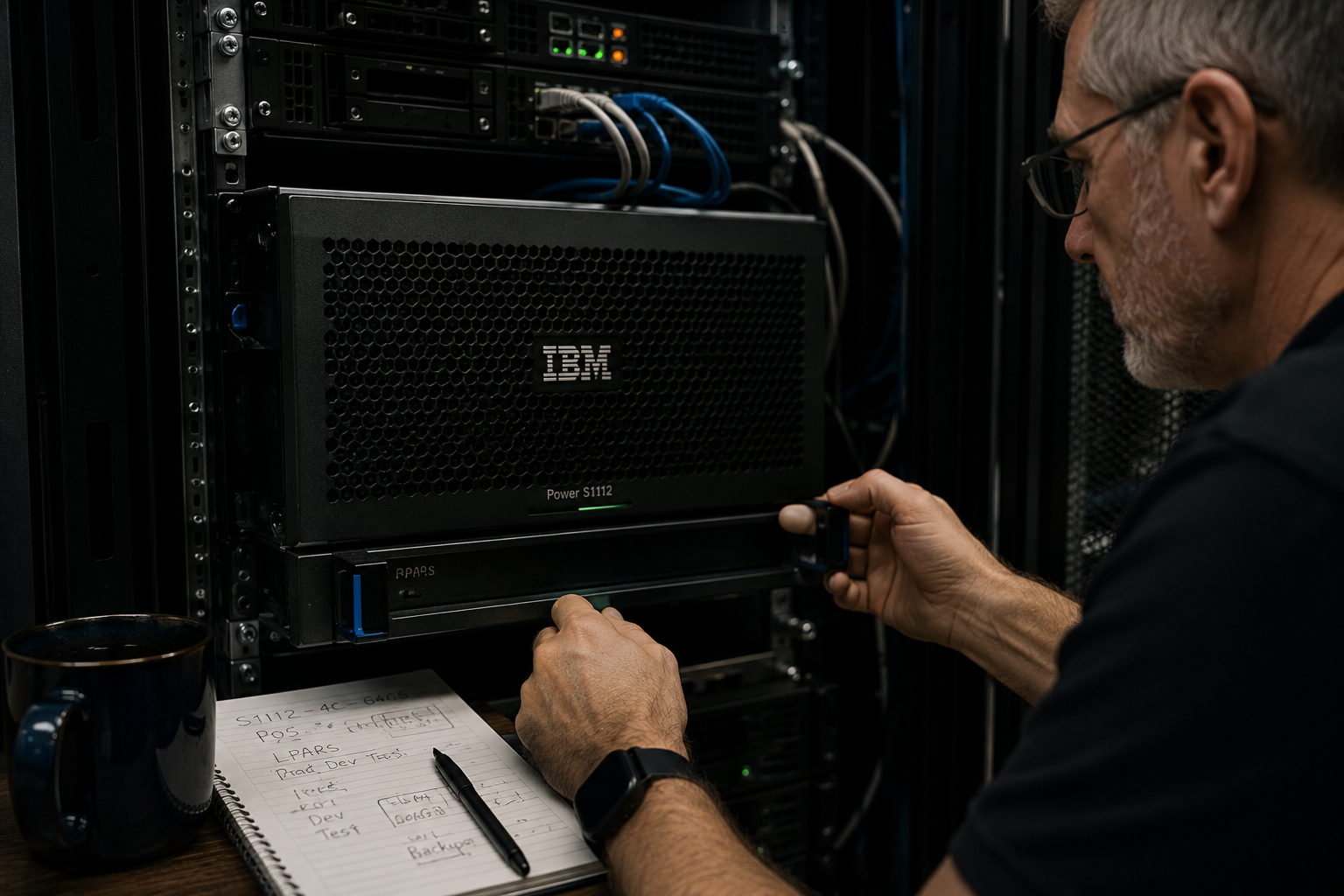
This is also where older or specialized business systems matter. Sometimes the right answer is not to rip out the existing system. Sometimes the right answer is to understand it, support it, and connect it properly to the newer parts of the business. That can include legacy software, old databases, accounting systems, line-of-business tools, or AS400 and IBM i support where the “old” system is still doing important work and the real problem is the gap between that system and everything around it.
Manual processes can waste good marketing
This is where the issue crosses into SEO, social media management, and broader digital marketing. A business can have a good website, good local SEO, useful social media, and a steady stream of leads, but if the internal process after the lead is messy, the growth gets wasted.
That is painful. Marketing creates the opportunity, but the system behind it cannot handle the opportunity cleanly. The lead comes in, the form goes somewhere vague, someone forwards it manually, someone means to follow up, the quote depends on information in another system, and eventually everyone agrees marketing “did not work.” Very convenient. Also probably not true.
Sometimes marketing did work. The lead flow worked. The website did its job. The SEO strategy did its job. The social media campaign did its job. The problem was that the business had no clean path from inquiry to quote to delivery to follow-up.
This is why Build. Support. Market. matters. If you market without building the path properly, you send traffic into a weak or broken system. That is a little like opening a portal before checking what is on the other side. Entertaining in an MCU movie. Less entertaining when it is your lead flow.
The hidden cost is not only time
Time is the easiest cost to talk about, but it is not the only one. Manual spreadsheet systems also create mistakes, delays, duplicate data, lost context, inconsistent customer experience, staff frustration, training difficulty, reporting problems, security risks, and dependency on specific people.
A business might think it has a software problem when it really has a workflow problem. It might think it has a staffing problem when it really has a reporting problem. It might think it has a marketing problem when it really has a follow-up problem. It might think it has an IT problem when the deeper issue is that the tools were never designed to work together.
This is why the first step should usually be diagnosis, not shopping. Buying software before understanding the process is how businesses end up paying monthly for one more platform that does not quite fit, which then creates more manual work around the edges. That is not transformation. That is clutter with a login screen.
The goal is not to replace people with software. The goal is to stop wasting good people on bad work. People should be making judgment calls, serving customers, solving problems, improving processes, building relationships, and doing the work that actually requires a person. They should not be spending half their week copying data from one place to another because two systems have never been introduced.
Better systems do not make people less important. They make their time less wasted.
So when should you stop doing it manually?
There is no universal answer, but there are warning signs. If the same information is being entered more than once, look closer. If a process depends on one person’s memory, look closer. If reporting requires exports, copies, cleanup, and interpretation every time, look closer. If customers are waiting because information is stuck between systems, look closer.
If staff are creating workarounds to work around the workaround, look closer. If nobody can explain the process without opening five tabs and apologizing, look closer. If growth makes the process worse instead of better, look closer.
With spreadsheets specifically, the warning signs get even clearer. If Google Sheets is storing business-critical data, look closer. If formulas are doing business logic that nobody wants to touch, look closer. If permissions are being used as a substitute for proper roles, look closer. If one accidental edit could corrupt history, look closer. If the business cannot function when one Google account is locked, look closer.
And if the business has five or six spreadsheets across several desks, all trying to maintain different parts of the truth, look much closer.
That does not automatically mean you need a big custom software project. It means the process deserves attention. Sometimes the answer is automation. Sometimes it is enterprise integration. Sometimes it is a better website form. Sometimes it is CRM cleanup. Sometimes it is a dashboard. Sometimes it is a small custom tool. Sometimes it is proper documentation and a few removed steps.
The important thing is to stop pretending the manual process is free.
A practical way to start
The best first step is usually not to buy software. It is to map the process.
Take one workflow that feels heavier than it should: a lead coming in, a quote going out, a job being scheduled, an invoice being created, a report being prepared, or a customer request being handled. Then trace it. Where does the information start? Who touches it? Where is it copied? Where does it wait? Where do mistakes happen? Who knows the exceptions? What does the customer experience? What does management need to know?
Then ask the unpleasant question: what would happen if the busiest person in the process disappeared for two weeks?
If the workflow lives in spreadsheets, ask a few more uncomfortable questions. What happens if the sheet is accidentally changed? What happens if someone sorts only half the data? What happens if a formula breaks? What happens if Google changes a limit, locks an account, or an automation stops running? What happens if you need historical audit trails, proper permissions, reporting, integrations, or a clean customer record?
You do not need a perfect diagram. You just need enough clarity to see the shape of the problem. Once you see the shape, the solution gets much easier to discuss.
It might be custom software. It might be enterprise integration. It might be a better website intake process. It might be better reporting. It might be a managed system that needs proper IT support around it. It might even connect back to SEO and social media management because lead generation without lead handling is just expensive optimism.
If the issue is customer intake, lead tracking, quoting, or reporting, the fix may also touch your public-facing site. The way your website development, SEO, and social media management connect to your internal operations matters. It is not much help to generate more leads if those leads disappear into a spreadsheet swamp after they arrive.
The point is not to force everything into one answer. The point is to find the right first fix.
Manual is fine. Accidental infrastructure is not.
Manual work is not the enemy. Spreadsheets are not the enemy. Bad assumptions are the enemy.
The dangerous assumption is that if nobody is writing a cheque for software, the current process is cheap. Sometimes it is. Sometimes it is quietly expensive. The business may already be paying for it through delays, mistakes, staff frustration, weak reporting, lost leads, security risk, and customers waiting longer than they should.
That does not mean every process needs to be automated. It means the important processes should be understood.
Once you understand the process, you can decide what should stay manual, what should be simplified, what should be connected, and what should be built properly. That is the work. Not replacing people with software. Not buying a shiny new platform because everyone else has one. Not turning every spreadsheet into a project because someone read an article about digital transformation and got overexcited.
The work is figuring out where the business is leaking time, trust, and money, then fixing the part that matters most.
If you have a process that everyone depends on but nobody really wants to explain, that is probably a good place to start. If that process lives in a spreadsheet that has somehow become the unofficial database of the business, that is an even better place to start. And if it lives in five spreadsheets across several desks, congratulations: you may have achieved distributed systems architecture by accident. We should probably talk.
Panda Rose can help map the workflow, find the bottlenecks, and decide whether the right answer is better process, better integration, custom software development, improved managed IT support, a cleaner website, stronger SEO, better social media management, or simply making the systems you already have talk to each other properly.
Start with a Systems & Data Audit, and we can help you figure out what should be fixed first.