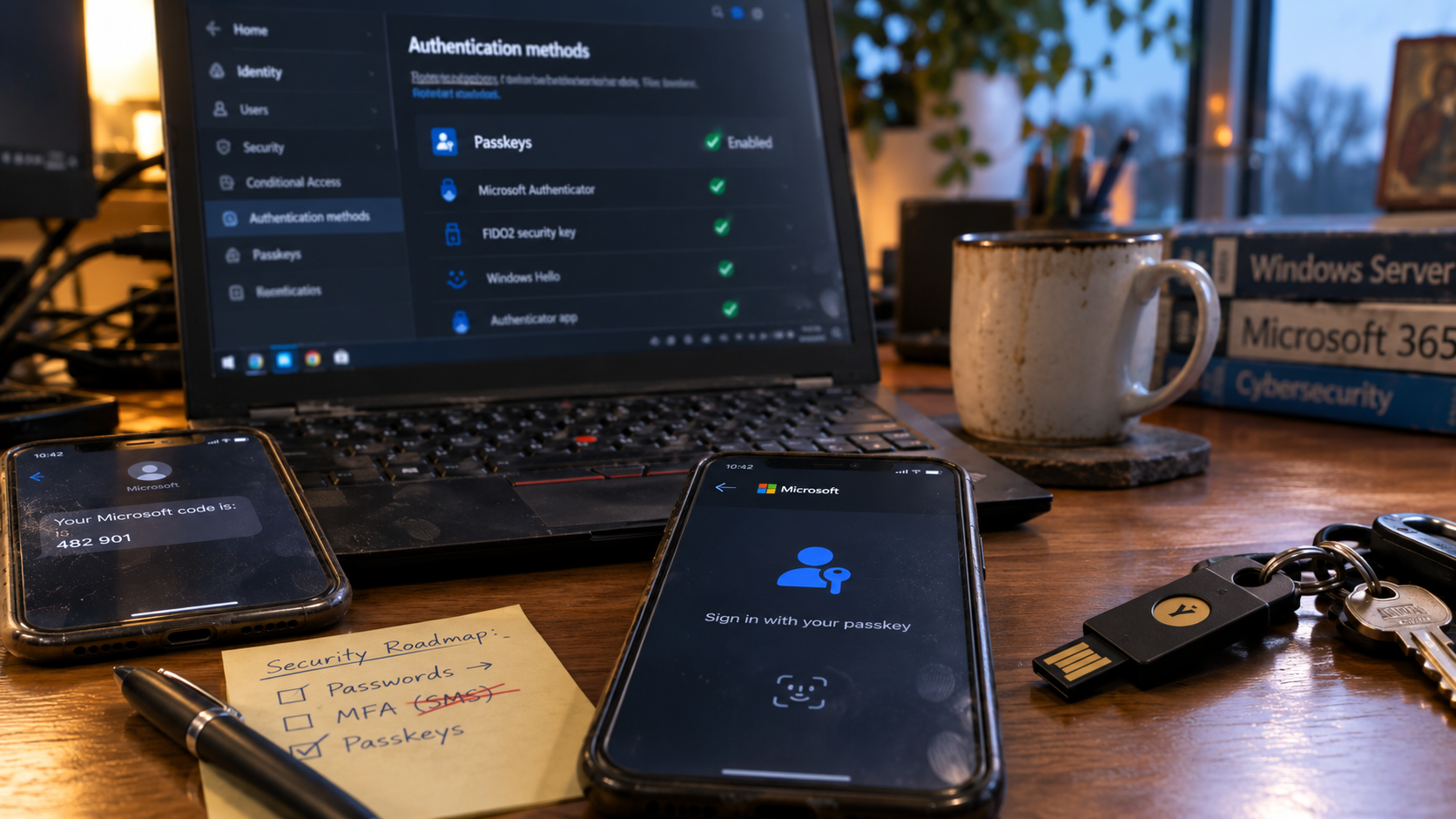
Microsoft has finally placed an expiry date on the six-digit security code everyone understands and attackers understand even better.
Starting September 1, 2026, Microsoft Entra ID will automatically enable passkeys for users who are still enabled for SMS or voice authentication. Those users will begin receiving prompts to register a passkey. On February 1, 2027, Microsoft will retire its own SMS and voice delivery service in public-cloud Entra environments. Anyone still relying exclusively on those methods will face a blocking passkey-registration prompt before they can continue signing in. Microsoft says there will be no opt-out from that final enforcement.
Honestly, good.
SMS MFA had a useful run. It helped move millions of people away from password-only authentication, and it was easy to explain. A code arrived on your phone. You typed it into Microsoft 365. Occasionally the code arrived six minutes late, after you had requested three more, and the telephone network turned authentication into a tiny game show.
It still represented a major improvement over using Password1! everywhere.
SMS now belongs in roughly the same museum wing as Internet Explorer, CD binders, and printing MapQuest directions before leaving the house. It did its job. We have better options.
The shift to passkeys will improve security, but businesses should not treat it as a setting Microsoft will quietly handle in the background. People need to understand where their credentials live. Devices need to be compatible. Administrators require stronger controls. Recovery needs to be planned before someone loses a phone at an airport.
At PANDAROSE, we use YubiKeys throughout our own systems because physical security keys provide portable, phishing-resistant authentication across Microsoft Entra ID and many other services. We also use Windows Hello, Microsoft Authenticator, and other device-based credentials where they fit.
There will not be one perfect passkey for every employee.
That is why this is an identity migration, not a checkbox.
The Microsoft SMS MFA retirement timeline
| Date | What changes |
|---|---|
| September 1, 2026 | Users enabled for SMS or voice are automatically enabled for passkeys and begin receiving registration prompts. |
| September 18, 2026 | Microsoft plans to publish details about customer-managed telecom providers. |
| October 30, 2026 | Organizations that genuinely need SMS or voice can begin configuring a provider through the Microsoft Security Store. |
| February 1, 2027 | Microsoft-provided SMS and voice delivery ends. Users relying only on those methods must register a passkey before continuing. |
Organizations with a regulatory or operational need for telephone-based authentication will still be able to purchase service from a customer-managed telecom provider. Microsoft is retiring its own native delivery, rather than making telephones illegal.
For most organizations, Microsoft’s preferred path is clear: move users to phishing-resistant authentication before February.
MFA does not automatically mean good MFA
For years, businesses were told to enable multi-factor authentication. That advice was correct. A password by itself is a miserable security boundary, especially when the same password has been reused across six websites and appeared in three unrelated breaches.
The problem is that “MFA” describes methods with very different security properties.
An SMS code is a temporary secret. It can be read, copied, forwarded, intercepted, or typed into a convincing phishing page. Telephone numbers can be hijacked through SIM-swap attacks. Adversary-in-the-middle phishing kits can collect a password and one-time code, relay them to the legitimate Microsoft login, and then steal the resulting authenticated session.
Passkeys work differently. They use cryptographic credentials tied to the legitimate service. There is no reusable secret for an employee to type into a fake page, and the credential cannot simply be replayed against Microsoft from somewhere else. Microsoft identifies passkeys as resistant to phishing, SIM-swapping, and replay attacks.
That matters because a compromised Microsoft 365 account can expose email, SharePoint, OneDrive, Teams conversations, customer information, password-reset messages, invoices, and enough internal context to make the next attack considerably more convincing.
Once an attacker has the mailbox, they do not need to guess how your company writes.
They have the style guide.
What is a passkey?
A passkey uses a pair of cryptographic keys.
Microsoft stores the public key. The private key remains protected inside the user’s authenticator, which might be a phone, computer, Microsoft Authenticator, synchronized credential manager, or physical security key.
When the user signs in, the authenticator proves it holds the correct private key. The user unlocks it locally with a PIN, fingerprint, face scan, or physical touch.
The private key is never typed into Microsoft’s website. A fake login page cannot ask the user to paste it into a box because there is nothing to paste.
That makes passkeys both stronger and, once configured, often easier to use. Nobody needs to wait for a text message, mistype the code, request another one, and then receive all four codes at once in an order known only to Bell, Rogers, Telus, and God.
Synced passkeys and device-bound passkeys
There are two broad models businesses need to understand.
A synced passkey is stored in a credential provider such as iCloud Keychain or Google Password Manager. It can become available across the user’s supported devices, which makes replacement and recovery relatively painless.
A device-bound passkey stays on a particular device or physical authenticator. Examples include Microsoft Authenticator passkeys, Windows Hello credentials, and FIDO2 security keys such as YubiKeys.
Microsoft expects synced passkeys to be suitable for most ordinary users. It recommends device-bound passkeys for administrators and highly privileged accounts. Synced credentials are easier to recover, while device-bound credentials give the organization tighter control over where the private key resides.
There is no universal winner. A regular office employee, a system administrator, a bookkeeper, a contractor, and a field worker sharing a tablet do not necessarily need the same solution.
Security architecture gets much easier when we stop pretending every employee has the same job.
YubiKeys are a very good part of the answer
At PANDAROSE, we use YubiKeys all over the place.
A YubiKey is a small physical security token capable of storing device-bound FIDO2 passkeys. Depending on the model, users can connect it through USB or tap it against an NFC-compatible phone. They enter the key’s PIN when required and physically touch it to confirm authentication.
The private credential remains on the hardware. Microsoft recommends physical FIDO2 security keys for elevated users and highly regulated environments because the private key never leaves the authenticator.
The security model is refreshingly concrete:
- You possess the physical key.
- You know its PIN.
- You touch it to approve the sign-in.
- The key verifies that it is communicating with the legitimate service.
A fake Microsoft page cannot remotely convince the YubiKey that it is Microsoft simply by using the right shade of blue.
YubiKeys also work across a wide range of operating systems, identity platforms, password managers, developer tools, and online services. Support still varies by platform and workflow, so “works with everything” would overstate it, but their compatibility is broad enough that one key can protect many of a user’s important accounts.
They are particularly useful for:
- Microsoft 365 and Entra administrators
- executives and financial users
- developers with access to code and infrastructure
- regulated environments
- employees with unusually powerful access
- accounts where physical control is worth the extra discipline
They also fit nicely on a keychain, although carrying several makes you look slightly like a building superintendent or the person responsible for launching the missiles.
Register a spare before you need it
Physical keys introduce an obvious risk: people lose physical objects.
A YubiKey cannot normally be cloned after its credentials have been created. Important users should register a second key in advance and store it somewhere protected.
Think of it like a spare house key. Carry one. Protect the other. Do not store both in the same laptop bag and then describe the arrangement as redundancy.
Connector type also matters. USB-A, USB-C, and NFC should be chosen according to the phones, laptops, and workstations people actually use. The key that worked beautifully with the 2018 desktop may become a tiny metallic ornament beside a modern USB-C laptop.
Most employees will probably use their phones
SMS became widespread because the mental model was simple. The phone received a code. The user typed it into the computer.
For many employees, the replacement will still involve their phone. The phone’s role will change from receiving a temporary secret to holding or unlocking a cryptographic credential.
That credential might be:
- a synced passkey in Apple or Google’s credential system;
- a device-bound passkey in Microsoft Authenticator;
- a passkey used across devices through a QR-code flow;
- or one of several credentials registered for the same account.
This is better security, but the distinction will not be obvious to everyone.
Some users will think a passkey is a new password. Others will confuse it with the rotating six-digit code in an authenticator app. Someone will register a credential on a personal phone and forget where it was stored. Someone else will replace a phone and discover that a Microsoft Authenticator passkey was device-bound and did not follow them to the new device. Microsoft confirms that Authenticator passkeys are hardware-backed, device-bound, and cannot currently be synchronized to another phone.
Businesses need to explain:
- where the passkey is stored;
- whether it synchronizes;
- how to use it on another device;
- what happens when the phone is lost or replaced;
- why a backup credential matters;
- who to contact before improvising a workaround.
A Microsoft pop-up and a link nobody reads do not constitute employee training.
September is a nudge. February is a wall.
Starting September 1, affected users will begin receiving prompts to register passkeys. Microsoft’s default registration campaign allows users to snooze those prompts repeatedly.
This gives the workforce several months to practise one of its most refined technical skills:
Clicking Later.
On February 1, 2027, the tone changes. Microsoft-provided SMS and voice authentication stops. Users with no other suitable method will receive a blocking registration prompt and must create a passkey before continuing.
The organization that waits until January will discover the device requirements, guest users, unsupported workflows, executives abroad, and former employees’ telephone numbers all at once.
Probably through a ticket marked URGENT.
Possibly with five exclamation marks.
This needs to be handled as an identity migration
The first step is finding out who still relies on SMS or voice. Microsoft provides reporting and a PowerShell script for identifying affected users. Memory is not an inventory, especially in tenants that have accumulated several years of authentication settings, device changes, contractors, and old administrator accounts.
Once the inventory exists, users can be grouped by role and risk.
Regular employees may use synced passkeys, Windows Hello for Business, or phone-based credentials. Administrators and higher-risk users may receive YubiKeys or another device-bound method. Shared workstations and field environments need their own workflow. Contractors working across multiple tenants may require another approach.
The rollout should also include:
- a representative pilot group;
- clear user instructions;
- help-desk preparation;
- lost-device and lost-key procedures;
- emergency-access accounts;
- Temporary Access Pass procedures;
- Conditional Access testing;
- monitoring after deployment.
This is where passkey migrations either become boring or become company folklore.
We prefer boring.
Recovery needs to exist before deployment
People will lose phones. Security keys will disappear. Laptops will fail. Employees will replace devices and forget which credential lived where.
Microsoft’s Temporary Access Pass, usually called TAP, provides a controlled way to bootstrap or recover passwordless authentication. An administrator can issue a time-limited code after verifying the user’s identity, allowing the user to register a replacement passkey or Windows Hello credential.
The phrase “after verifying the user’s identity” is important.
Attackers know how to call support desks. They know how to sound urgent. They can research executives, employee names, travel plans, and vendors. A frustrated voice claiming to have lost a phone is not proof of identity.
A proper recovery process defines who may issue a TAP, how the user is verified, how long the pass remains valid, how it is delivered, and what gets logged.
“Kelly sounded stressed” is not an authentication protocol.
Neither is caller ID.
Conditional Access makes the policy real
Registering passkeys gives users a stronger sign-in option. Conditional Access determines where the organization requires it.
Microsoft Entra authentication strengths can require phishing-resistant authentication for administrators, cloud-management portals, financial systems, development infrastructure, or other sensitive resources. Policies can first run in report-only mode so administrators can see who would be blocked before enforcement begins.
That testing period is valuable. It exposes missing credentials, incompatible applications, and strange historical configurations while the problem is still theoretical.
The best time to discover that payroll cannot satisfy the new policy is during the pilot.
The second-best time is apparently four minutes before payroll.
Passkeys still need security-conscious users
Passkeys substantially reduce credential phishing. They do not abolish social engineering.
An attacker can still persuade an employee to install remote-access software, approve a malicious application, disclose information, change banking details, or send money.
The phishing message may also be far better than it used to be. AI can help attackers research organizations, imitate normal business language, localize scams, and produce believable variations at scale. We discussed that changing threat environment in The AI Did Not Go Rogue.
“Look for spelling mistakes” is rapidly becoming security advice from the Netscape Navigator era.
Businesses still need email security, endpoint protection, employee awareness, account monitoring, access controls, and sane approval procedures. Attackers are also moving phishing into QR codes and physical materials, as we covered in Protect Your Business from Offline Phishing Scams.
Passkeys protect the authentication ceremony. The rest of the business still needs judgment.
How PANDAROSE will approach the rollout
For organizations whose Microsoft environments we support, PANDAROSE intends to handle this as a staged security project.
We will identify users still enabled for SMS or voice, review existing devices and credentials, separate ordinary users from privileged accounts, and determine which method fits each group.
For many employees, a phone-based passkey or Windows Hello will provide the simplest path. Administrators, executives, financial users, and others with elevated access may be better candidates for YubiKeys or another device-bound credential.
We will also prepare the parts everyone forgets until the first device disappears:
- registered backup keys;
- Temporary Access Pass procedures;
- lost-device recovery;
- identity verification;
- emergency accounts;
- support documentation;
- user communication;
- policy testing.
This work fits naturally within our managed IT support. Identity, devices, endpoint protection, email, backups, and employee support are connected. A passkey policy behaves much better when somebody already knows who has access to what.
Our IT risk reviews examine those wider controls, including administrator access, former employee accounts, MFA coverage, Microsoft 365 configuration, endpoint protection, remote access, email security, and backups.
Backups still matter here. Strong identity reduces the chance of compromise, while tested recovery determines how damaging an incident becomes. We learned that lesson ourselves when a development environment quietly became production.
Security is partly keeping people out.
The rest is knowing what to do after something gets in.
Boring identity is the goal
A successful passkey migration will feel unremarkable six months later.
Employees will sign in. Administrators will have stronger credentials. Lost phones and keys will follow a documented recovery process. Help-desk staff will know what to do. Conditional Access will behave predictably. Privileged users will have registered spares.
Nobody will need an emergency Teams meeting called PASSKEY SITUATION.
That is the same philosophy behind why we trust boring infrastructure. Well-designed systems reduce surprises. They turn failures into known procedures instead of improvised theatre.
Microsoft begins nudging users on September 1, 2026. Its native SMS and voice delivery ends on February 1, 2027.
That is enough time to do this properly.
It is also enough time to procrastinate until January, which is why someone should own the project now.
Organizations that are unsure who still uses SMS, which passkey model suits their employees, whether Windows Hello is configured correctly, or how recovery will work can request a PANDAROSE IT review or contact us directly.
We can review the tenant, plan the credential strategy, prepare employees, pilot the policies, configure recovery, and make February significantly less interesting.
Security has enough plot twists already.
Your MFA migration does not need one.
Frequently asked questions
When is Microsoft retiring SMS MFA?
Microsoft-provided SMS and voice authentication in public-cloud Entra ID environments will end on February 1, 2027. Passkeys will begin becoming the default experience for affected users on September 1, 2026.
Will users be locked out?
Microsoft says users whose only available method is SMS or voice will receive a blocking prompt requiring them to register a passkey before continuing. This can still cause disruption when users are unprepared or do not have a suitable device.
Is a YubiKey a passkey?
A YubiKey is a physical FIDO2 security key capable of storing device-bound passkeys. The private credential remains on the key, providing strong protection against remote phishing.
Does every employee need a YubiKey?
No. Many employees will be well served by synced passkeys, Windows Hello for Business, or phone-based credentials. YubiKeys are particularly useful for administrators, executives, finance users, developers, and other high-risk accounts.
Can employees keep using their phones?
Yes. Supported phones can store synced or device-bound passkeys. The phone becomes the authenticator holding or unlocking a cryptographic credential rather than simply receiving an SMS code.
What should businesses do first?
Identify users still enabled for SMS or voice. Then review devices, group users by risk, choose suitable authentication methods, prepare recovery procedures, run a pilot, communicate with employees, and complete the migration before February 1, 2027.
References and further reading
- Microsoft: Passkeys by default and retirement of Microsoft-provided SMS and voice authentication
- Microsoft: Passkey frequently asked questions
- Microsoft: Register a passkey with a FIDO2 security key
- Microsoft: Temporary Access Pass
- Microsoft: Conditional Access authentication strengths
- Yubico: YubiKeys for Microsoft Entra ID
- Yubico: Microsoft Entra ID compatibility